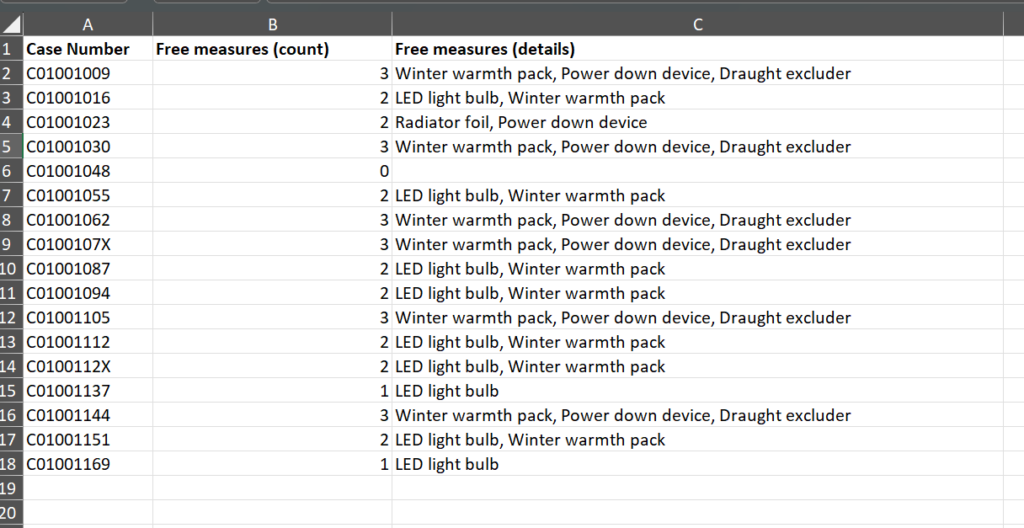
When it comes to reporting, if you want to count the number of multiple choice boxes that have been ticked for a case question, you can do this in a Report Template -> Table block view:
Example situation:
Let’s suppose you are running an event. Clients come to the event and can take a free item to improve their home energy efficiency (e.g. LED light bulbs, draught excluders, information packs). You record their name in Nook. You also record what they took, and your Settings -> Data Collection looks like this:
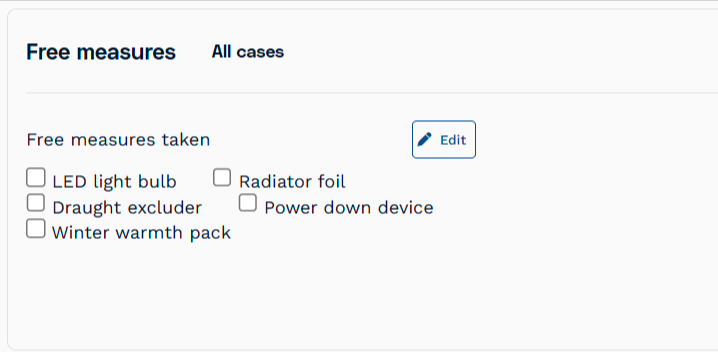
However now you need to report to your funder on exactly how many of these items have been taken and by how many people.
To get a count of the total options checked (here, the number of free items taken):
1. Go to Reporting -> Report Templates -> [and then choose an existing report or create a new report]
2. Click the Add a New Block button
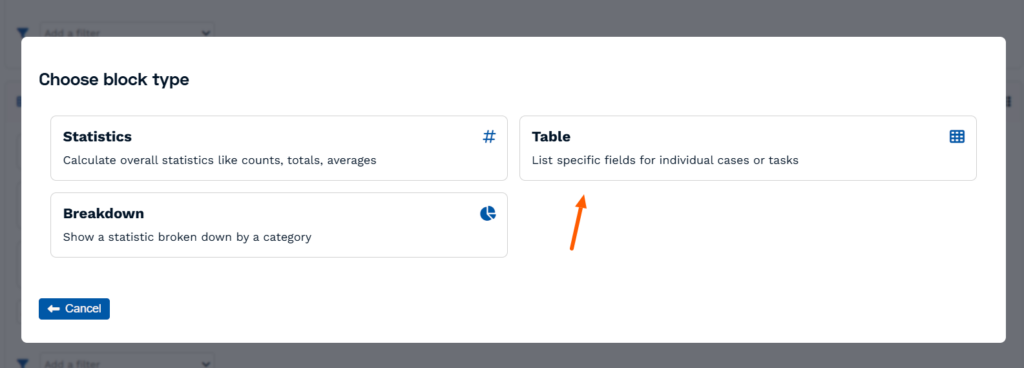
3. Choose block type = Table
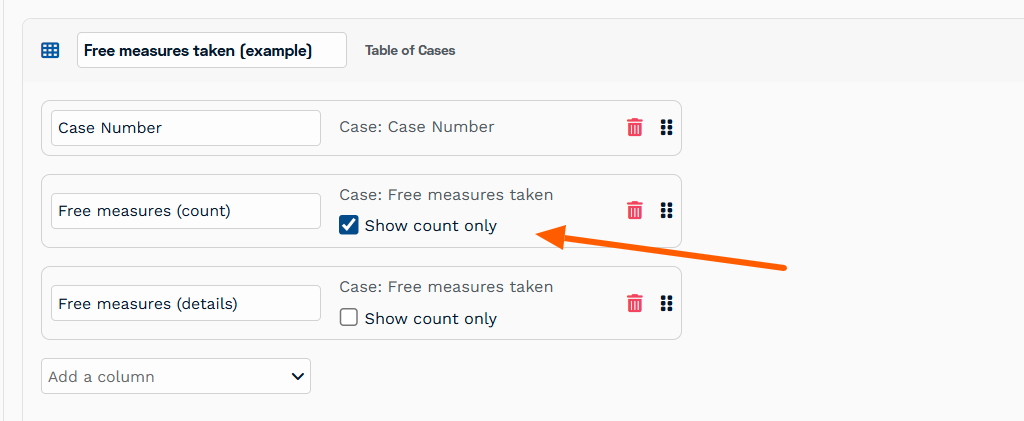
4. In resulting new Table block, name it and Add a column. Find the name of the question on the case record (here it was called “Free measures taken”)
5. Select the “Show count only“.
6. TIP: For this example we’ve also added two others column: One which shows the Client’s unique Case Number, and another which shows the actual free items options selected. I.e. NOT a “count only”.
7. Then when you Run and Download the report, in the new tab that appears you’ll see a count of how many of these options were selected, which you can now easily manipulate (e.g. totalise) in Excel.