If you need to link from a case record to an external destination (e.g. a file on your own system, or a folder of files) you can do this via a Link field.
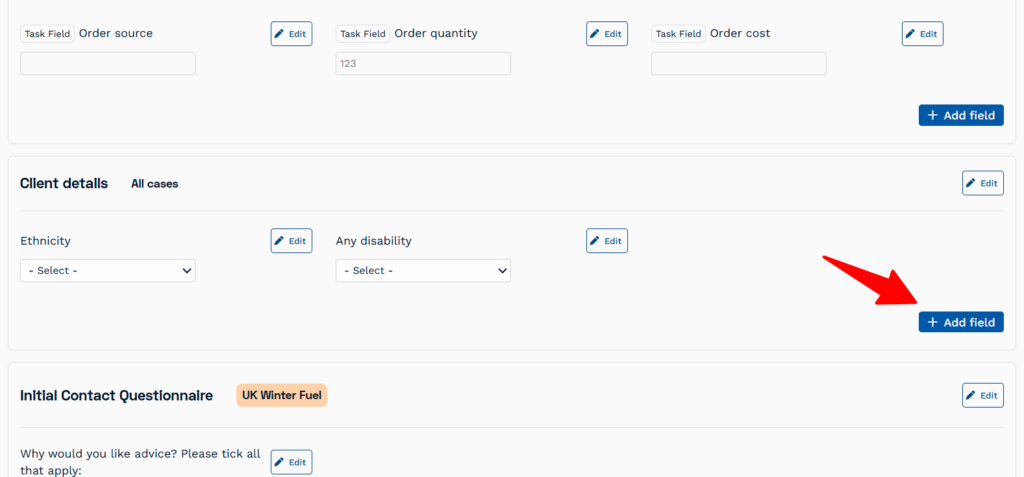
- In Settings > Data Collection click the Add Field button in the section where you want the field to appear on the case record.
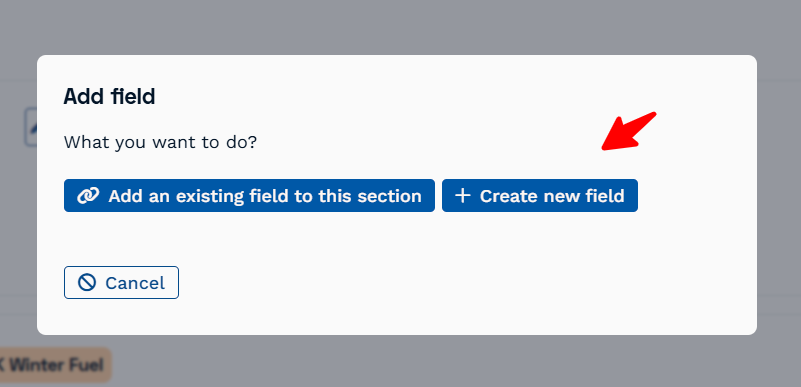
- Choose Create new field and then select the type: Link
- Give it a name in ‘Question content’
- And then it will appear as a field available in the case record.
- Now, when a link is added and then the record saved, the link will be clickable link and will open in a new tab.
Please note: if an added link is not correctly formatted (and starting with a “https://”) it will show a red warning when saving the case record).